
FBA SKU, FNSKU and ASIN Mismatch: How to Review the Evidence
Investigate mismatched product identifiers in FBA reports with a mapping worksheet, a worked example and checks before linking reimbursement records.
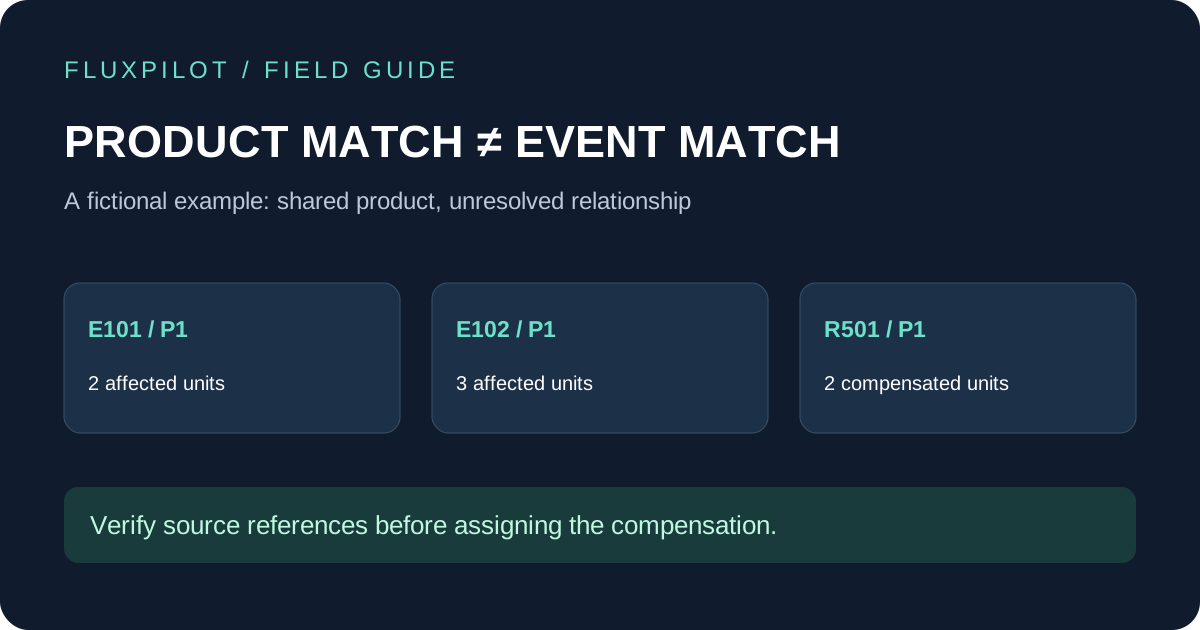
Keep the original identifiers from each report. Compare seller account, SKU or MSKU, FNSKU, ASIN and event references in a separate working sheet. A shared ASIN is a starting point for investigation, not proof that a reimbursement resolves a specific loss. Leave uncertain relationships unmatched until supporting evidence explains them.
Write down the mismatch before changing the data
Start with a concrete observation: the inventory row and the reimbursement row share an ASIN, but their seller SKU values differ. That is a question to investigate. Replacing one SKU with the other would hide the question and make a later review harder.
Keep the downloaded files unchanged. Make a working copy with a source filename and row reference beside every record. Record seller account, report period and export time. A useful result is a mapping you can explain from evidence, not a spreadsheet that looks tidy because conflicting values were overwritten.
Keep product fields and event fields in separate columns
Amazon’s report documentation lists MSKU, FNSKU and ASIN in the detailed Inventory Ledger, alongside ReferenceID, event date and quantity. The Reimbursements Report separately lists SKU, FNSKU, ASIN and reimbursement references. Preserve those labels when documenting where each value came from.
Treat product identity and event identity as two separate checks. Product fields help narrow the records to compare. They do not by themselves establish which incident a payment belongs to. Avoid joining everything on product title: an abbreviated name or a similar description provides weak evidence.
| Column group | Record | Purpose |
|---|---|---|
| Source | Filename, row, account, report period | Return to the original evidence |
| Product | Original SKU/MSKU, FNSKU, ASIN | Compare identifiers without overwriting |
| Event | Date, reference, event type, units | Identify the incident under review |
| Compensation | Reimbursement reference, units, currency | Trace the proposed resolution |
| Decision | Verified, unresolved or rejected; reason | Make the match reproducible |
Work through conflicting identifiers without forcing a match
First check for an import problem. An identifier interpreted as a number may have lost leading zeros. A copied value may contain extra whitespace. Compare the working value with the original export before normalizing anything, and keep both versions if a transformation is necessary.
Next, identify the exact reason for the difference. Your own catalog or listing records may explain a change, but do not infer a historical mapping from today’s label alone. Add the supporting record and relevant date to the worksheet. If no evidence explains the relationship, mark it unresolved.
Keep each seller account separate. When monetary records are involved, preserve their currencies as well. A similar SKU in another account should not silently become evidence for the event you are reviewing.
Worked example: one product, two separate events
Imagine two fictional inventory events for product P1: E101 involves two units, and E102 involves three units. A reimbursement record for P1 covers two units. The shared product and quantity make E101 worth investigating, but they do not prove the relationship. E102 could also have received partial compensation.
Keep the reimbursement unassigned until references or other supporting evidence resolve the ambiguity. If the evidence establishes that it belongs to E101, record that link once. Do not allocate the same two compensated units to E102 as well.
This approach may leave an apparently obvious match open for longer. That is preferable to presenting an unsupported remaining balance as a confirmed reimbursement opportunity. The worksheet should distinguish a candidate relationship from a verified one.
| Record | Units | What can be concluded |
|---|---|---|
| E101 / P1 | 2 affected | Candidate event |
| E102 / P1 | 3 affected | Separate candidate event |
| R501 / P1 | 2 compensated | Link not yet established |
| After source verification | R501 linked to E101 | Update E101 only |
Close the review with a traceable decision
For every accepted mapping, record who checked it, the evidence used and the date. For every unresolved mapping, write the missing evidence and next action. Do not remove unresolved records from view just to make totals balance.
When reviewing reports in FluxPilot, use the source-level identifier worksheet to investigate ambiguous findings. This guide describes a manual verification method; it does not imply that every historical SKU change is automatically resolved by the application.
Once product identity is established, continue to the event-level matching review. Recheck quantities, later inventory evidence, compensation and reversals before deciding what remains unresolved.
Frequently asked questions
Can I match a reimbursement using ASIN alone?
Use it to find candidate records, then verify the specific event relationship. A shared product identifier does not establish which loss was resolved.
Should I replace conflicting SKU values?
Preserve original values. Record any verified mapping separately with its supporting evidence and date.
Sources and further reading
Workflows and examples are from FluxPilot. Amazon policies change; verify the current policy for your marketplace before filing a claim.
Amazon: Inventory Ledger and Reimbursements Report fields