
Amazon KDP Keyword Research Without Paid Tools: 7 Search Slots That Make Sense
Learn a free, evidence-based Amazon KDP keyword research workflow, organize 7 metadata slots, evaluate relevance, and avoid misleading volume claims.
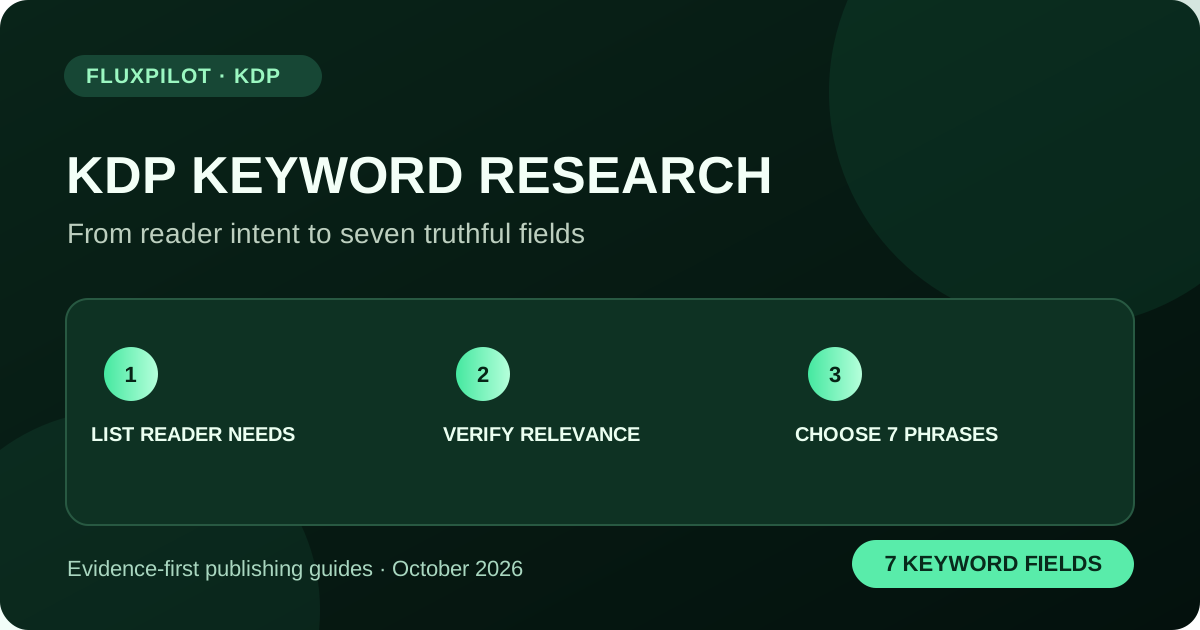
Start with a specific reader problem, collect the language readers use in Amazon Books and competing descriptions, classify each phrase by intent and relevance, then choose up to seven accurate keyword phrases in KDP. Amazon recommends specific phrases and forbids misleading or unrelated terms; autocomplete or result counts alone do not prove search volume or low competition.
What a useful KDP keyword really represents
A keyword is not an arbitrary high-volume phrase. It is a phrase a plausible buyer might type while looking for the kind of book you actually created. For example, someone shopping for a guided journal for new gardeners may use a phrase such as 'vegetable garden planning journal'. A broad phrase such as 'books' offers almost no guidance about intent.
Amazon's own metadata guidelines recommend concise, relevant phrases and explicitly prohibit misleading search terms. Keyword research must therefore begin with the manuscript, the reader and the problem it solves—not a list of trending unrelated niches.
Research free candidate phrases in five passes
First write a one-sentence reader promise: 'A structured daily writing workbook for adults learning cursive.' Second, list the audience, task, format, skill level and intended outcome as separate columns. Third, try combinations inside the relevant Amazon department, such as Books or Kindle Store, while checking the product types actually shown.
Fourth, record relevant titles and descriptions rather than copying competitor titles or author names into your metadata. Fifth, check whether each phrase matches what the cover, pages and description deliver. Search suggestions can reveal language worth investigating, but they are not independently audited search volumes.
- Reader: beginner, parent, language learner, teacher.
- Task: handwriting practice, letter formation, tracing.
- Format: workbook, journal, guided exercises.
- Specificity: adult cursive workbook versus generic 'writing book'.
- Evidence: store, date, sample listings and a relevance note.
Score phrases for fit instead of inventing search volume
Use a transparent editorial score, not a fabricated keyword-difficulty number. Give each candidate 0–2 points for direct content relevance, 0–2 for unambiguous buyer intent and 0–2 for differentiation from the other six fields. Six points means a strong metadata candidate in this qualitative worksheet; it does not predict ranking.
Keep one evidence row for each phrase and mark whether it came from reader interviews, search suggestions or listings you reviewed. This separation matters because visible marketplace data can be current while underlying monthly searches and conversion rates remain unknown.
| Phrase | Relevance | Intent | Decision |
|---|---|---|---|
| adult cursive handwriting practice | 2/2 | 2/2 | Keep if exercises match |
| handwriting for everyone | 1/2 | 0/2 | Too broad |
| kids calligraphy book | 0/2 | 1/2 | Reject for adult-only book |
| beginner cursive workbook | 2/2 | 2/2 | Consider |
Fill your seven keyword fields strategically
KDP allows up to seven keyword entries. Aim to cover distinct, truthful reader concepts rather than putting nearly identical variations in every field. For a hypothetical beginner cursive workbook, candidates might cover adult learners, handwriting drills, letter tracing, penmanship exercises, everyday writing practice, guided cursive lessons and large-print practice if the pages truly include them.
These are examples, not proven phrases you should copy. Only keep terms supported by your book. Avoid repeating the title, category wording or contributor name unnecessarily, and do not put competing author names, 'bestselling', temporary promotions or unrelated brands into keyword fields. KDP's title field must match the real cover title; it is not an extra keyword-stuffing space.
Compare competitors without confusing rank and demand
Choose a small set of genuinely comparable books and note format, page count, price, cover promise, publication date and review count where shown. A busy first page suggests that buyers may have alternatives, not that a particular phrase has a known monthly search count. A low review count alone does not prove an easy niche.
Do not mistake a sponsored placement for an organic result. Nor should search-page position be treated as Best Sellers Rank or the seller's unit sales. Re-run any evaluation before making an investment because rankings and availability change.
- Keep sponsored versus organic placements separate.
- Check whether books solve the same reader problem.
- Compare paperback and eBook listings within the right department.
- Write down what is unknown: searches, conversions and sales.
- Avoid importing competitor copyrighted descriptions into your book.
A 30-minute workflow inside FluxPilot
Open KDP Studio to prepare a niche and metadata preflight. Use the live-book research panel for current Amazon.com Books listing snapshots when connected and available; that panel does not verify search volume or revenue. Export your keyword candidates to a local spreadsheet with columns for intent, relevance and evidence.
Build the title and subtitle for readers first. Use your seven keyword fields to cover additional truthful concepts, then review the entire metadata set for redundancy. This is a repeatable workflow rather than an automatic bestseller formula.
When to revise your keywords
After publishing, confirm that the correct format is live and allow time for search systems to reflect the new or updated information. Amazon notes that metadata updates may take time to surface. Change one meaningful cluster at a time, record the date and keep enough context to evaluate whether it really helped.
If your book gets visibility but few purchases, keywords may not be the main issue: inspect the cover promise, detail-page copy, interior sample, reviews and price. Discoverability and conversion are different problems.
Frequently asked questions
Can I find exact KDP search volume for free?
You can collect free evidence about phrases and visible listings, but autocomplete and result counts do not provide independently verified monthly search volume.
Should I repeat every word in all seven fields?
No. Use accurate, distinct reader-intent phrases. KDP recommends specific, relevant metadata, not repeated or misleading terms.
Does a low-review competitor prove low competition?
No. Review counts are only one visible signal and do not prove demand, sales or ranking difficulty.
Sources and further reading
Original guidance by FluxPilot, cross-checked against KDP documentation. Amazon policies and marketplace rules can change; verify current requirements before publishing.
KDP Metadata Guidelines KDP: How do I add/change keywords? KDP: Help customers find your book